
Capacity & Space Optimisation
Find the spaceyou already own.
Before you rent another building, WareBee shows the true capacity and live occupancy of the one you have — by zone, aisle and location — then reclaims the space fragmented stock and dead inventory are quietly wasting.
Analyse your capacity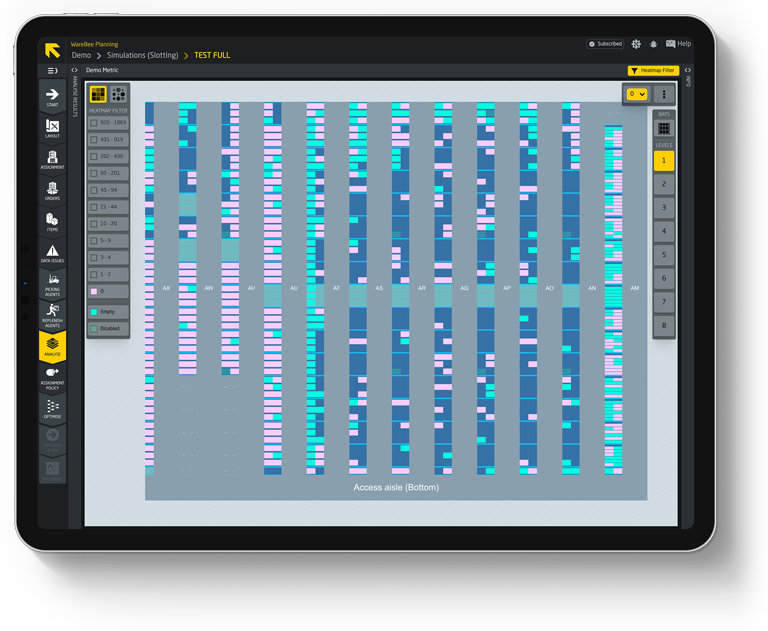
True capacity, live occupancy
Most warehouses don't know their real capacity — only how full it feels. WareBee measures it from your own data: true capacity and live occupancy by zone, aisle and location, with storage-density analytics that separate 'full' from 'well used'.
The gap between the two is almost always bigger than anyone expects — and it's space you're already paying for.
- True capacity vs live occupancy by zone, aisle and location
- Storage-density analytics — full isn't the same as efficient
- Empty and partially-filled locations surfaced automatically
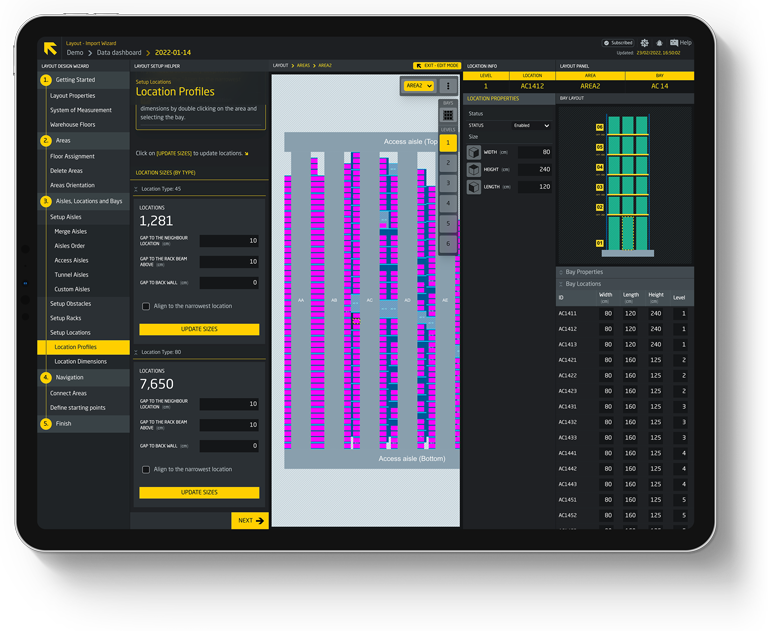
Where the space hides
Six levers to reclaim capacity — no new steel required.
Each one is measured on your digital twin, so you see the space it frees before you move a pallet.
True capacity & occupancy
Real capacity and live occupancy by zone, aisle and location — the honest number, not the eyeball estimate.
The twin reconciles rated slot capacity against what's physically sitting in each location continuously, rather than the annual walk-round that goes stale within a week. When someone asks how much room is actually left before the next lease decision, the answer comes from today's stock.
Storage density
Find where cube is wasted — half-used bays, wrong location profiles, air shipped in the racking.
Every location's stored volume is measured against its rated cube and ranked by the gap between them, so the worst offenders surface first instead of getting lost in an average. A pallet profile assigned to the wrong bay size shows up the same way a half-empty shelf does.
Empty & partial locations
Surface every empty and partially-filled location so scattered stock stops squatting on capacity.
Locations sitting below a useful fill level are flagged and grouped by zone rather than listed one by one, so a single walk clears a run of them instead of a picker crossing the building for each. What was invisible on a location-by-location report becomes a route worth actually walking.
Consolidate by item or group
Merge fragmented quantities — by item or item group — into fewer locations, so each SKU takes the space it needs, not the space it drifted into.
A move plan groups every scattered pocket of the same SKU or item family into a single sweep, so the pickers doing the consolidation work one pass through a zone instead of a dozen separate errands. Months of piecemeal put-away get pulled back together in an afternoon.
Spread & separate
The inverse when you need it: keep similar items or groups deliberately apart, so look-alikes don't sit together and cause mis-picks or congestion.
Separation rules — which SKUs must never share a location or a neighbouring bay — get built into the slotting model itself, so a violation is caught in the plan and never reaches the floor as a picked-wrong-item. The same lever that consolidates elsewhere here keeps two things exactly one aisle apart.
Dead stock
See what hasn't moved, what it costs, and free the prime locations it's been sitting in.
Every SKU with no movement across a full lookback window is flagged with the carrying cost it's quietly running and the value of the prime location it occupies. The recommendation that comes back is specific — relocate, liquidate or write off — not a generic ageing report someone has to interpret.
Consolidate the stock, reclaim the building
You probably don't need more racking — you need the racking you have, used well. WareBee finds the fragmented stock, the half-empty pallets and the dead inventory eating prime locations, then consolidates it — by item or item group — and packs the space denser with directed slotting. When you need the opposite, it can spread similar items apart just as deliberately.
Every consolidation, spread and re-slot move is simulated in the digital twin first, so you see the capacity reclaimed — and the picking impact — before anyone touches a pallet.
- Consolidate fragmented and partial-location stock
- Clear dead stock out of prime real estate
- Moves simulated before they hit the floor
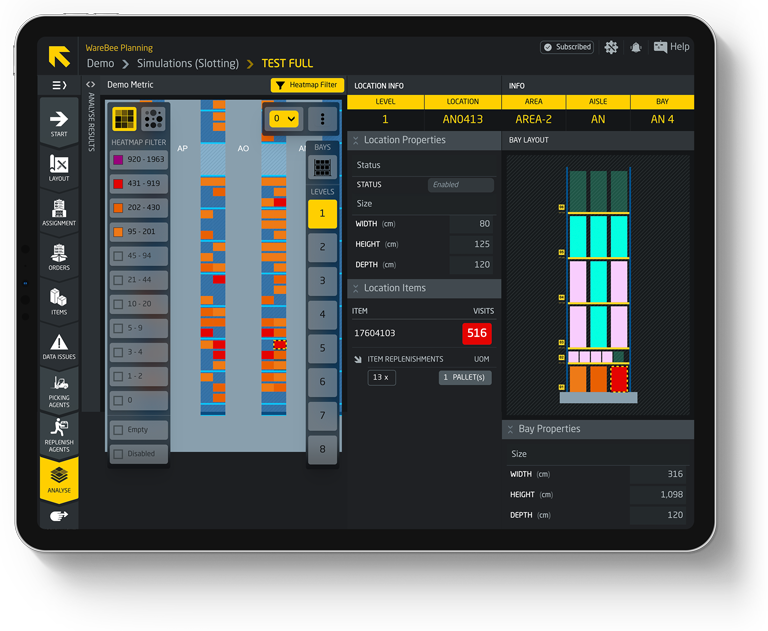
Learn more
What is warehouse capacity optimisation?
Warehouse capacity optimisation is the work of getting more usable space out of the building you already have — by measuring true capacity and live occupancy, exposing where storage density is wasted, and reorganising stock so it occupies the space it needs rather than the space it drifted into. It's almost always cheaper than expansion, and faster.
WareBee runs it on your digital twin. Occupancy and density come from your own data, down to the individual location; empty, partial and dead-stock locations are surfaced automatically; and directed slotting proposes the consolidation and re-slotting moves that pack the warehouse denser — each one measured before it happens.
The result is capacity you didn't know you had: fragmented stock consolidated, dead inventory cleared from prime locations, and a defensible answer when someone asks whether you really need that extra building — proven in the model, not guessed on a walk-round.
Frequently asked questions
How WareBee finds and reclaims capacity in the warehouse you already run.
What is warehouse capacity optimisation?
It's the work of getting more usable space out of the building you already have — measuring true capacity and live occupancy, exposing where storage density is wasted, and reorganising stock so it takes the space it needs. It's almost always cheaper and faster than renting another building.
How does WareBee measure my true capacity?
WareBee measures true capacity and live occupancy from your own data — by zone, aisle and location — with storage-density analytics that tell apart space that is genuinely full from space that is merely well used. The gap is usually bigger than anyone expects, and it's space you already pay for.
What levers does WareBee use to reclaim space?
Six, each measured on your digital twin: true capacity and occupancy, storage density, empty and partial locations, consolidating stock by item or group, spreading similar items apart when needed, and clearing dead stock out of prime locations. No new steel required.
How does consolidating stock free up capacity?
WareBee finds fragmented quantities, half-empty pallets and dead inventory eating prime locations, then consolidates them — by item or item group — and packs the space denser with directed slotting. When you need the opposite, it can deliberately spread similar items apart.
Will I see the impact before moving pallets?
Yes. Every consolidation, spread and re-slot move is simulated in the digital twin first, so you see the capacity reclaimed and the picking impact before anyone touches a pallet. It's proven in the model, not guessed on a walk-round.
Do I need to replace my WMS to optimise capacity?
No. WareBee is an optimisation layer that works alongside your existing WMS, building a digital twin from the exports it already produces. It returns the moves; your WMS and team execute them.